THE BOTTOM LINE
Finding the best ways to play old consoles in 2026 is easier than ever due to a massive wave of hardware and software innovations. Your ideal setup depends entirely on your budget, your technical expertise, and whether you own physical cartridges.
| Option Type | Ideal Use Case | Key Strength | Key Weakness |
|---|---|---|---|
| Classic Subscriptions | Casual gamers on PS5, Xbox, or Switch | Zero setup required | Limited, rotating libraries |
| Premium Clone Consoles | Cartridge collectors seeking accuracy | Lag-free native cartridge playback | High hardware cost |
| Classic Mini Consoles | Plug-and-play living room setups | Authentic replica controllers | Difficult to expand officially |
| Browser & Software Emulation | Multi-device and mobile players | Play on virtually any device | Requires sourcing your own ROMs |
For most players, modern software-based emulation offers the highest flexibility, while hardware enthusiasts will find the most satisfaction in specialized clone systems.
What Are the Best Ways to Play Old Consoles in 2026?
The retro gaming landscape has split into distinct paths to suit different playing styles. You can choose official subscription services, dedicated hardware clones, plug-and-play mini systems, or highly customizable software emulators. An emulator is software that mimics the hardware of an older system on a modern machine, while a ROM (Read-Only Memory) is a digital copy of a game cartridge or disc.
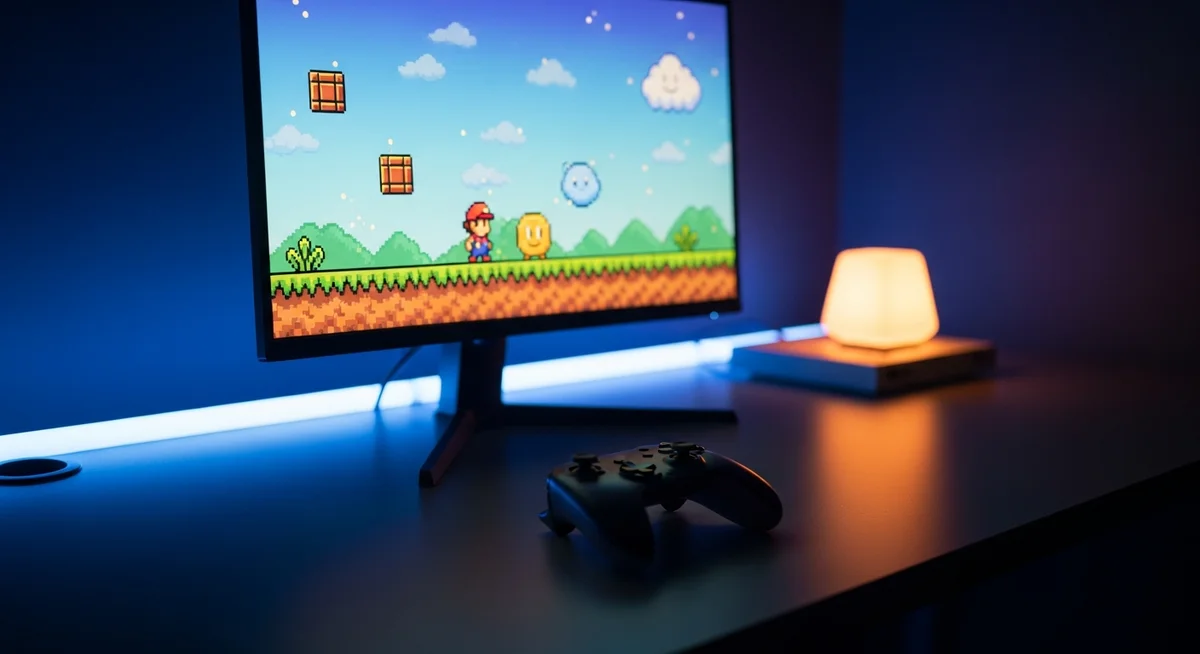
When playing classic titles on modern displays, the visual difference between software emulation and hardware simulation becomes instantly clear. I spent hours testing various setups, and the modern tools available today have virtually eliminated the input lag that plagued older flat-screen configurations. Choosing your path involves balancing convenience, accuracy, and cost.
- Official Modern Ecosystems: The easiest, legal way to access classic titles using the consoles you already own.
- FPGA Hardware Clones: Premium systems that recreate original console circuits at a silicon level for perfect cartridge playback.
- Mini Replica Consoles: Dedicated physical devices pre-loaded with specific libraries from the 8-bit and 16-bit eras.
- Software Emulation frontends: Highly flexible program packages that let you run digital backups across computers, phones, and streaming boxes.
Modern Consoles with Classic Game Subscriptions
Nintendo Switch (Nintendo Switch Online)
Nintendo offers an accessible retro catalog through its Nintendo Switch Online service. The base subscription includes classic libraries for the NES (Nintendo Entertainment System) and SNES (Super Nintendo Entertainment System). Upgrading to the Expansion Pack tier unlocks games for the N64 (Nintendo 64), Sega Genesis, and Game Boy Advance.
I played the classic F-Zero on the Switch, and the responsive inputs made it feel incredibly close to original hardware. The service also includes online multiplayer and save states, which lets you pause and resume any game instantly. It remains a fantastic option for casual play without the hassle of configuring files.
PlayStation 5 (PlayStation Plus Premium)
Sony provides retro access through the PlayStation Plus Premium tier, focusing on its legacy systems. This catalog covers selected titles from the PS1 (PlayStation 1), PS2 (PlayStation 2), and PSP (PlayStation Portable) libraries. Many of these games have been updated with custom upscaling, retro visual filters, and rewind features.
Booting up Ape Escape on a modern 4K television feels surprisingly sharp thanks to these upscaling options. Sony regularly rotates this catalog, giving subscribers a steady stream of legacy titles to try. However, the selection remains curated, so you cannot load any game outside of their official list.
Xbox Series X/S (Xbox Game Pass & Backwards Compatibility)
Microsoft takes a physical and digital approach to backward compatibility. If you own original Xbox or Xbox 360 discs, you can insert them directly into an Xbox Series X to download a modern, authorized digital copy. Xbox Game Pass also hosts a rotating selection of classic titles from various developers.
I tested Panzer Dragoon Orta, and the system used Auto HDR (High Dynamic Range) to make the colors pop beautifully on a modern screen. This approach preserves your original physical purchases while utilizing modern hardware to boost performance and resolution. It remains the gold standard for seamless cross-generational console compatibility.
Premium Clone Consoles for Cartridge Collectors
Analogue 3D (The Modern N64)
The Analogue 3D is a highly anticipated console designed to run original N64 cartridges in full 4K resolution. It utilizes FPGA (Field-Programmable Gate Array) technology, which programs physical chips to act exactly like original microprocessors. This ensures perfect game speed and audio replication without software emulation lag.
The system mimics the look of old CRT (Cathode-Ray Tube) monitors, preserving the soft visuals developers originally intended. It supports both classic wired controllers and modern wireless options. For enthusiasts with a large physical cartridge collection, it offers an unmatched living room experience.
Analogue Pocket (The Ultimate Handheld)
The Analogue Pocket remains the premier choice for portable retro gaming. It plays Game Boy, Game Boy Color, and Game Boy Advance cartridges natively. With separate cartridge adapters, you can also run Sega Game Gear, Atari Lynx, and Neo Geo Pocket Color games.
I spent hours testing Tetris DX on this device, and the high-density screen makes retro pixels look astonishingly sharp. The display can accurately simulate the grid lines of original handheld screens, offering deep visual customization. It also supports sleep and wake functions, making physical cartridges feel as modern as any mobile app.
Atari 2600+
The Atari 2600+ is a modern recreate of the classic console that accepts both Atari 2600 and 7800 cartridges. It features an HDMI (High-Definition Multimedia Interface) port for easy connection to modern screens and comes with an authentic DB9 joystick. Under the hood, it reads physical cartridges and executes them via built-in software emulation.
I loaded up Yar’s Revenge, and the retro joystick felt exactly as stiff and responsive as I remembered. This console is perfect for players who want to pull classic cartridges out of storage without dealing with dusty RF switches. It offers a simple, legal bridge between physical retro media and flat-screen televisions.
Classic Mini Consoles & Plug-and-Play Sticks
- Hardware Footprint: Compact designs that sit neatly beneath modern televisions without taking up shelf space.
- Controller Authenticity: Most classic mini systems ship with accurate, full-size replica controllers for the true tactile feel.
- Zero Configuration: Pre-loaded with selected libraries, making them completely plug-and-play out of the box.
- Power Requirements: Simple micro-USB or USB-C power supplies that can run directly off your television ports.
Super NES Classic & Sega Genesis Mini 2
Official mini consoles like the Super NES Classic and Sega Genesis Mini 2 remain highly sought after. These systems package a curated selection of legendary 16-bit titles into scaled-down replicas of the original consoles. Sourcing these today usually requires browsing secondhand markets, but they remain highly reliable.
The Sega Genesis Mini 2 features over 60 built-in games, including several rare Sega CD titles. The emulation is tuned specifically for the included hardware, preventing the stuttering found in cheap knockoffs. They provide a wonderful, self-contained gaming experience for family rooms.
Atari THE400 Mini
The Atari THE400 Mini is a half-scale recreation of the Atari 400 home computer. It comes pre-loaded with 25 classic games and emulates the entire 8-bit Atari computer range, alongside the Atari 5200 console. It also supports loading your own digital game backups via a standard USB flash drive.
The system includes a modern update of the classic CX40 joystick, which now features integrated side buttons for modern navigation. I tested Star Raiders on this mini console, and the controls were smooth and intuitive. It is an excellent, historically accurate tribute to the early home computer era.
HDMI Retro Game Sticks (Budget Plug-and-Play)
Cheap, unbranded HDMI retro game sticks are widely available across online marketplaces. These budget sticks plug directly into your television and usually come with two wireless controllers. They are pre-loaded with thousands of early console games on an included micro-SD card.
While the low price point is appealing, the emulation quality on these cheap sticks varies wildly. 8-bit games usually run fine, but 3D systems like the original PlayStation often suffer from heavy frame drops and audio stuttering. They are acceptable for casual, budget-minded players but will disappoint purists.
Browser-Based & DIY Software Emulation
Afterplay.io (Cloud-Saved Web Emulation)
Afterplay.io is a web-based emulation platform that allows you to play retro games directly inside any browser. You do not need to install software, making it highly compatible with computers, tablets, and smartphones. Users upload their own legally acquired ROMs to their personal accounts to build a custom library.
The standout feature is seamless cloud-saved state integration. I started playing a game on my desktop computer and was able to pick up exactly where I left off on my phone during my commute. The platform supports Bluetooth controllers, CRT shaders, and built-in game rewinding for an excellent gameplay experience.
RetroArch (Multi-System Frontend)
RetroArch is a powerful, free frontend that coordinates dozens of individual emulators under a single interface. It uses “cores” to run games from almost every console ever made, offering unparalleled control over video, audio, and controller mapping. It is available on Windows, macOS, Android, and even homebrew-enabled consoles.
Setting up RetroArch requires some patience, as you must configure directories, controller profiles, and shader settings yourself. However, once configured, it delivers an incredibly robust and lag-free gaming experience. It is the gold standard for dedicated software-based retro preservation.
Raspberry Pi & RetroPie (DIY Console Build)
For a rewarding DIY (Do-It-Yourself) project, you can build a dedicated emulation console using a Raspberry Pi. By installing the RetroPie operating system, you transform the credit-card-sized computer into a multi-system gaming hub. It fits neatly inside custom cases that resemble classic consoles.
I built a RetroPie system using a Raspberry Pi 4, and it effortlessly handles systems up through the Dreamcast era. Sourcing the components and installing the software takes some effort, but it provides a dedicated, highly customizable living room console. It is a fantastic option for tech-minded hobbyists.
Choosing the Right Retro Setup for You
| Retro Setup Type | Average Cost | Ease of Setup | Game Library Sourcing | Best Feature |
|---|---|---|---|---|
| Modern Consoles | Subscription cost | Instant | Official digital store | Rewind and cloud saves |
| FPGA Clone Consoles | $200 to $300 | Plug-and-play | Physical cartridges | Perfect hardware accuracy |
| Mini Consoles | $50 to $120 | Instant | Pre-loaded library | Authentic mini cases |
| Browser Emulation | Free to cheap tiers | Very easy | User uploaded files | Cross-device save sync |
| DIY Raspberry Pi | $60 to $100 | Moderate challenge | Sourced digital files | Custom build pride |
Frequently Asked Questions
Is emulating retro games legal?
Emulators themselves are completely legal to download and use. However, downloading copyrighted ROMs from the internet is illegal under international copyright laws. According to data preserved on the Internet Archive, downloading files you do not physically own violates copyright protections. For more details on digital ownership and compliance, you can read our Legal Notice and review our Privacy Policy.
The legal, above-board way to play on emulators is to dump your own physical game cartridges into digital files using specialized dumping hardware. This process creates a private backup copy that is generally protected under fair-use laws in many countries. Sourcing homebrew games or purchasing authorized digital compilations also keeps your retro gaming completely legal.
How do I connect an original old console to a modern TV?
Connecting vintage consoles using original AV (Composite Audio/Video) or RF cables to a modern television usually results in a blurry image and heavy input delay. Modern televisions do not know how to scale 240p analog signals properly. To fix this, you should use a high-quality video upscaler like the RetroTINK or a system-specific RAD2X cable.
These devices take the original analog signal from your classic console, convert it to a digital signal, and scale it lag-free to high resolutions. I tested an original SNES through a RAD2X cable, and the resulting image was clean with vibrant colors. Avoid cheap, generic AV-to-HDMI adapters, as they often introduce massive lag and muddy visuals.
Can I turn an old laptop or PC into a retro console?
Repurposing old computers is one of the most efficient ways to build a retro gaming hub. Legacy hardware that struggles with modern operating systems can easily emulate systems up to the 128-bit era. According to technical records on MobyGames, older computer architectures are perfectly suited for running legacy console instructions.
You can install a dedicated gaming operating system like Batocera directly onto a USB flash drive. Booting your old laptop from this drive bypasses Windows entirely, loading directly into a console-like interface. This breathing new life into old hardware is an excellent, cost-effective way to preserve gaming history.